
- TL;DR
- Why Remove Background Music from Video?
- What Is an AI Video Background Music Remover?
- 6 Key Features of the Best AI Tool to Remove Music from Video in 2026
- 6 Best Free AI Tools to Remove Background Music from Video (2026 Review)
- Comparison Table: Best Free Background Music AI Removers (2026)
- Conclusion
- FAQs
TL;DR
- The best free AI tools to remove background music from video feature high-fidelity stem separation, multi-format video support, fast cloud processing, and simple interfaces.
- AudioCleaner leads as the best AI tool to remove music from video. It offers free browser-based solution that works directly on video files, offering powerful and easy-to-use background music removal.
Why Remove Background Music from Video?
As video content dominates digital platforms in 2026, creators frequently need background music remover from video. Based on analysis of user discussions on Reddit, Quora, and creator communities, the most common requests include:
- Remove music from video but keep voice
- Remove or delete background music from video
- Remove a song from a video
- Extract background music from a YouTube video
- Find the best free online AI tool to remove background music from video
What Is an AI Video Background Music Remover?
An AI video background music remover is a specialized tool that uses artificial intelligence to analyze audio tracks within video files. It intelligently separates different sound sources—typically isolating dialogue, sound effects, and background music into distinct stems. This allows users to remove background music from video but keep voice intact or mute the background score entirely.
6 Key Features of the Best AI Tool to Remove Music from Video in 2026
- High-Quality Stem Separation: Accurately distinguishes between voice and music, even in complex mixes, without introducing audio artifacts.
- Direct Video File Support: Accepts common video formats like MP4, MOV, and AVI directly, eliminating the need for prior audio extraction.
- Fast Cloud Processing: Leverages cloud computing to deliver results in seconds or minutes, not hours.
- User-Friendly Interface: Simple workflow like uploading, processing, and downloading. No learning curve required.
- Additional Audio Tools: Features like noise reduction, vocal enhancement, or format conversion add practical value.
- Free Access: Core features available for free or with substantial processing limits.
6 Best Free AI Tools to Remove Background Music from Video (2026 Review)
AudioCleaner
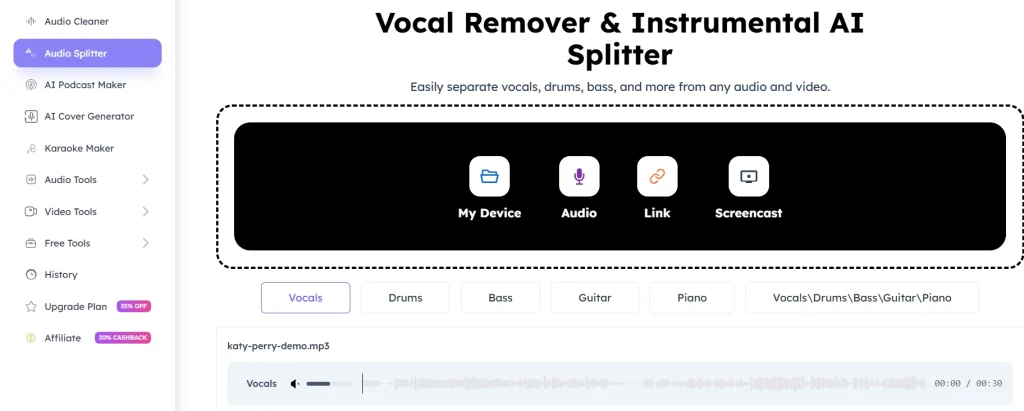
As a leading browser-based AI tool, AudioCleaner excels at removing background music from video—effortlessly splitting music and dialogue in complex mixes. It accepts all video formats, YouTube links, and screencasts, with instant high-fidelity AI processing. Best of all, it requires no signup, adds no watermarks, and features a simple interface, making it the top all-around choice for 2026.
MusicRemover
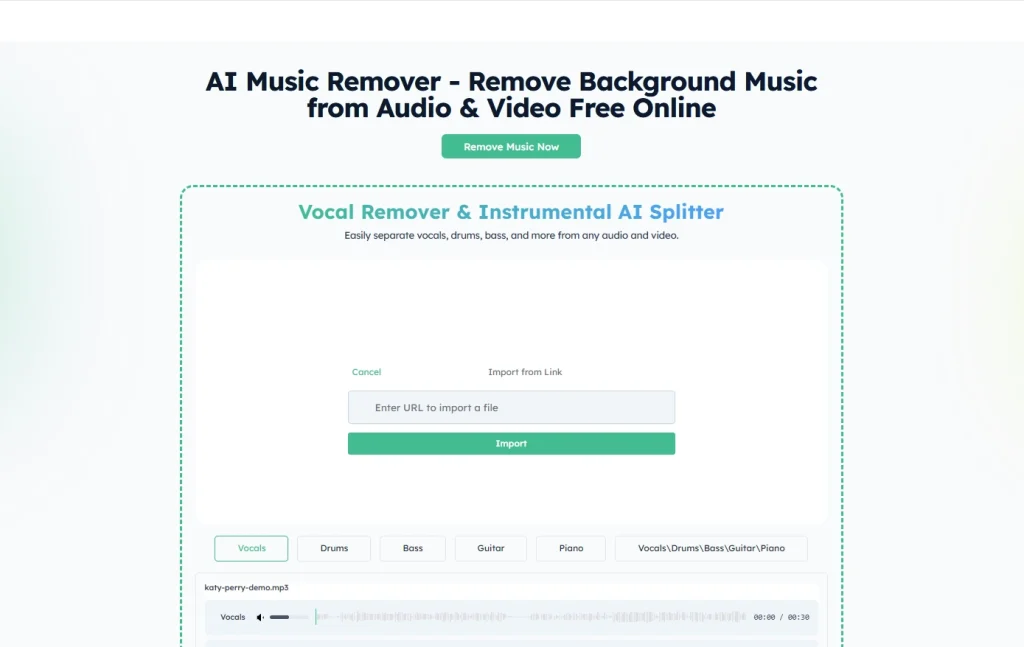
As a purpose-built AI tool, MusicRemover specializes in removing music from video with zero signup or installation. Supporting direct video and audio uploads, its advanced AI delivers professional multi-stem separation for vocals, drums, bass, guitar, and piano. Its greatest strength lies in retaining sharp, clear vocals while eliminating background music—perfect for podcasts, interviews, and voiceovers. The tool is entirely free and watermark-free.
LALAL.AI
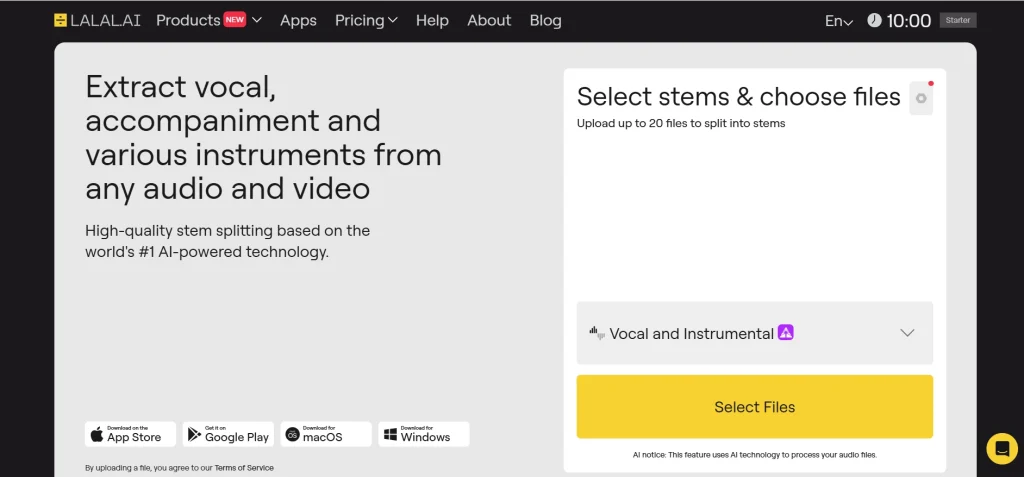
LALAL.AI is a stem splitter among musicians, editors, and podcasters. It provides audio separation for vocals, instrumental, drums, bass, and more, and works for older interview recordings. But Youtube videos are not supported and it only supports local files.
Media.io Vocal Remover
Media.io provides stem separation that divides vocals and music layers. It supports video and audio files and can extract the voice or the background track as needed. It works with multiple formats and can be useful for creators who need vocals from videos. But it must create an account to download output and free version is limited to 100MB and 1 export per day.

Moises.ai
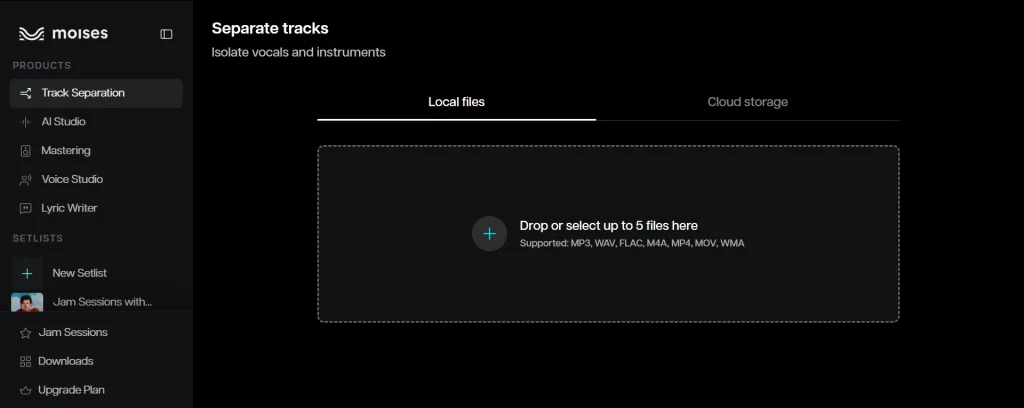
Moises.ai offers tools for separating vocals and instruments. It integrates with cloud storage and mobile apps for users who need these additional capabilities. But it requires sign-up and free version has limited daily exports.
VEED.io
VEED.io is an online video editor that includes a clean audio feature for removing background music and noise. But the free version adds watermarks to all exports, and the paid plans are relatively expensive for advanced features.
Comparison Table: Best Free Background Music AI Removers (2026)
| AI Tool | Free Plan Limits | Sign-Up | Formats | Upload Methods |
| AudioCleaner | 65 min free, 10 GB file size limit | No | MP4, MOV, AVI, MP3, WAV and 20 more | Device upload, audio recording, link, and screencast |
| MusicRemover | Free | No | MP4, MP3, MOV, MPEG | Device upload, audio recording, link, and screencast |
| LALAL.AI | 10 min free (slow queue), preview only | Yes | MP3, WAV, MP4 | Device upload |
| Media.io Vocal Remover | 100MB file size limit, 1 export/day | Yes | MP3, MP4, WMV (exports MP3 only) | Device upload |
| Moises.ai | Daily export limit | Yes | MP3, M4A, WAV, cloud imports | Device upload and link |
| VEED.io | One-time free use only | Yes | Video and audio files | Device upload and link |
Conclusion
AudioCleaner delivers exactly powerful AI, ease of use, and free access to remove background music from video. It isolates vocals and reduces noise—all in one browser-based platform. No software installation is required. Just upload, process, and download clean audio instantly. Its generous free tier and intuitive interface make it the best all-around choice for video audio cleaning in 2026.
FAQs
How to remove music from video but keep voice?
Use an AI tool like AudioCleaner, which is good at removing music from video but keeping voice.
- Visit the website.
- Upload your video file.
- AI automatically processes and removes the background music.
- Download your cleaned video.
How to remove or delete background music from video?
Upload your video to AudioCleaner. The AI automatically detects and removes background music but keep voice. You can download the result instantly.
How to remove a song from a video?
Use AudioCleaner’s music remover from video. Upload your video, select the appropriate model, and the AI will remove the song, leaving voice or instrumental as needed.
How to extract background music from a YouTube video?
Copy the YouTube link, paste it into AudioCleaner, and let the AI extract and remove the background music from the video. Download it separately.
What is the best free online AI tool to remove background music from video in 2026?
AudioCleaner is the best free tool to remove background music from video, which offers high-quality stem separation, supports video and links, and requires no signup.