- TL;DR
- What Is Background Noise and Why It Ruins Audio & Video Quality
- How to Remove Background Noise from Audio (Easy Guide)
- How to Remove Noise from Video Online Free
- How to Remove Background Noise and Background Conversation with AI
- How to Remove Background Noise from Audio and Video on Phone (iPhone & Android)
- Why Choose AudioCleaner to Remove Noise from Your Audio or Video Online (Best AI Tool)
- Conclusion
- FAQs on How to Remove Background Noise from Audio & Video
TL;DR
- Background noise, including buzzing, echo, static, and hums, can degrade your audio quality and distract listeners.
- Learning how to use reliable online audio noise remover AI to remove background noise is crucial in the content creation process.
- AudioCleaner offers AI-powered noise removal feature that automatically cleans your audio without manual editing, saving time while delivering professional results.
Background noise can ruin a good recording, but it does not have to stay. Now more AI-powered tools make it simple to clean up unwanted sounds in from audio and video with ease.
This guide shows you how to remove background noise from audio or video and improve the clarity of your recordings without any editing experience.
What Is Background Noise and Why It Ruins Audio & Video Quality
Common types of noise: hum, hiss, wind, clicks, echo, background conversation
Background noise comes in many forms, each affecting audios or videos differently. Some of the most common types include:
- Hum: a steady low-frequency sound, often caused by electrical equipment or poor grounding.
- Hiss: a high-pitched static noise that can make speech or music sound thin.
- Wind: outdoor recordings often capture wind noise, which can distort vocals and instruments.
- Clicks: sharp, sudden sounds from handling microphones or digital glitches or even the mouth.
- Background conversation: voices from nearby people that interfere with the main recording.
- Echo: sound reflections that create repetitions of the original audio, common in empty or hard-surfaced rooms.
Recognizing these noises is the first step in cleaning up audio and video effectively.
Why removing background noise is essential for audio clarity
Even subtle background noise can make recordings sound unprofessional. Listeners may struggle to focus on the main voice or music, reducing comprehension and engagement. Removing the noise improves clarity, ensures your content is easier to understand, and gives your audio a polished, professional feel. Clear audio also helps when editing, mixing, or applying effects, as the original recording is cleaner and easier to work with.
Audio recordings vs. video audio: noise issues differ
Audio captured in videos often faces different challenges than standalone recordings. In video, ambient noise like traffic, crowd chatter, or room reverberation can compete with dialogue. Audio-only recordings, such as podcasts or voiceovers, might be more controlled but can still suffer from hum, hiss, or interference from nearby electronics.
How to Remove Background Noise from Audio (Easy Guide)
How to remove background noise from audio recording using AI
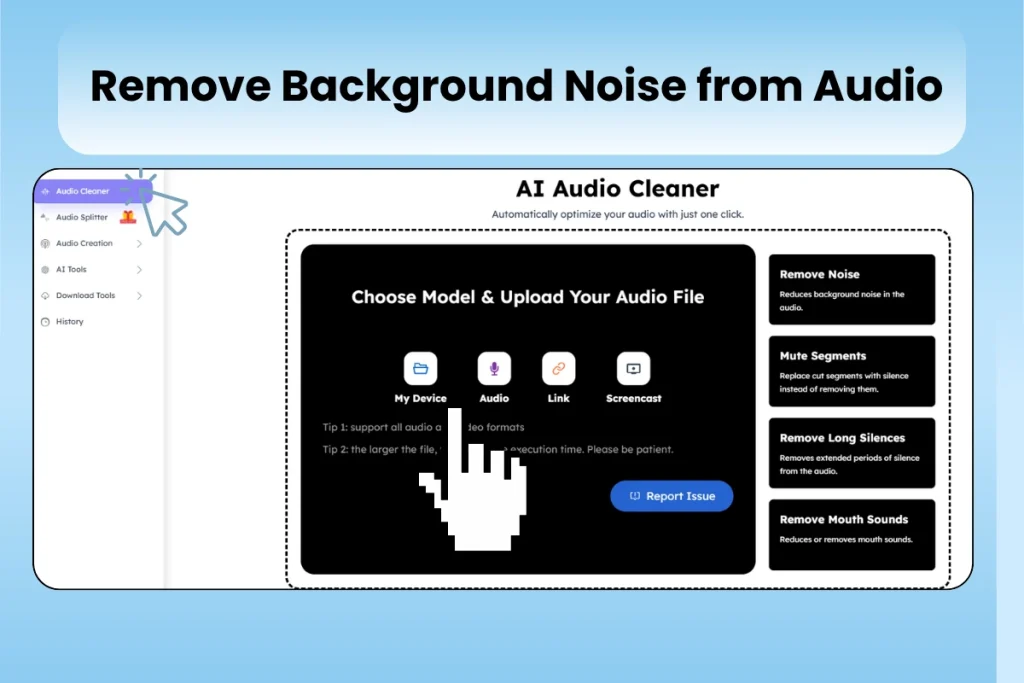
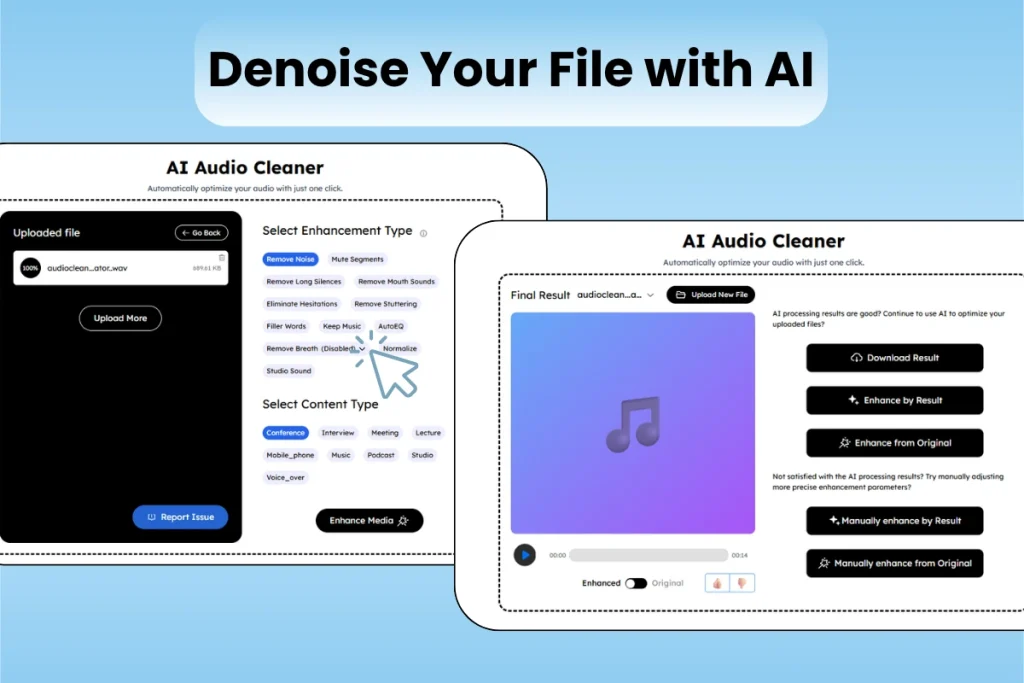
Cleaning up audio recordings can feel intimidating at first, but following a structured approach makes it simple. Here is a basic step-by-step method by our background noise remover – AudioCleaner:
- Navigate to audio cleaning feature: Open Audio Cleaner feature, then upload your audio file directly or real-time record, paste the link. It supports all formats.
- Select the enhancement type: Choose the enhancement type for your audio file. Let the AI analyze the file and isolate the noise.
- Preview and adjust: Play back the audio and fine-tune settings to remove noise without affecting the main voice.
- Export the cleaned audio: Once satisfied, save your recording.
Tips to reduce background noise during recording
Consider these tips to minimize noise before it reaches the microphone:
- Choose a quiet environment: Record in rooms with minimal foot traffic and distant from electronics.
- Check microphone: Check your microphone status before recording. Make sure it works well.
- Reduce reflective surfaces: Soft furnishings and rugs can reduce echo and reverb.
- Mute or move noisy devices: Fans, air conditioners, and appliances can introduce hums.
By following these practices, you’ll spend less time removing noise later and achieve a more professional recording from the start.
How to Remove Noise from Video Online Free
Remove noise from video using free online AI – AudioCleaner
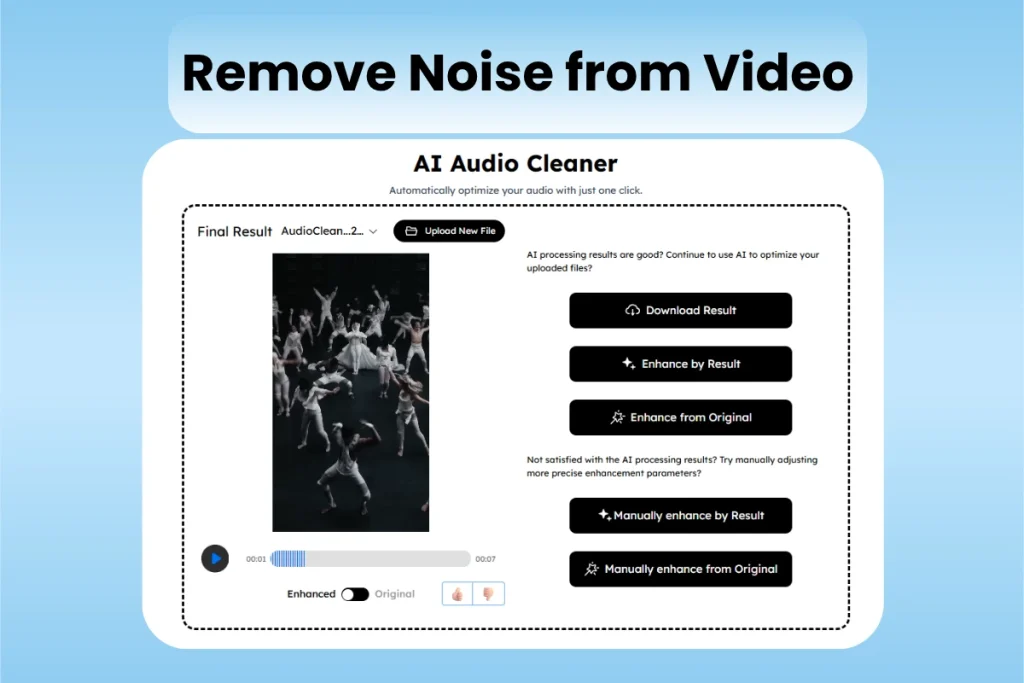
Cleaning video audio is often more challenging than working with standalone audio because background noise can interfere with dialogue, music, and sound effects. AI-powered online tools simplify this process by automatically detecting unwanted sounds and isolating the main audio. The process is almost identical to cleaning audio files:
- Upload your video: Just like uploading audio for noise removal, select your video file on the platform. It also allows you to record your screen instantly.
- AI analysis and noise reduction: Audio Cleaner feature automatically detects unwanted sounds while preserving speech and important audio elements.
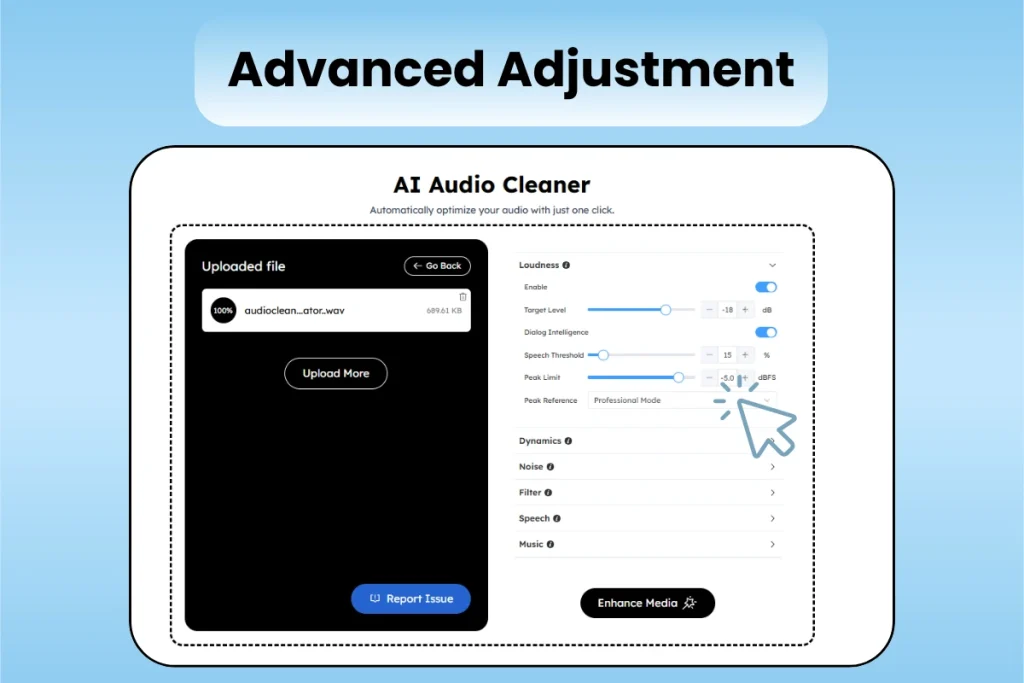
- Download or Advanced Enhance: You can choose advanced feature for more precise improvement or download directly
This approach is ideal for vloggers, online tutorials, or anyone needing professional-sounding video quickly, without complex software.
How to Remove Background Noise and Background Conversation with AI
AudioCleaner uses advanced technology to scan your recording and separate important voices from background distractions. It adopts:
Speech isolation: keep the voice, remove people talking
Speech isolation focuses on making the main voice stand out while minimizing background conversations. AudioCleaner analyzes patterns in your audio, identifying which voice is the main speaker and which are just chatter. This process helps your listeners stay focused and prevents background talk from stealing the spotlight.
AI voice enhancement: noise reduction plus voice boosting
AudioCleaner does more by not only suppressing background noise but also enhancing the strength and clarity of your voice. Volume inconsistencies are balanced out, and subtle tweaks make your speech sound fuller. With it, your voice can sound cleaner and more professional, even if your recording environment isn’t perfect.
When multiple people are talking at similar volume levels, the AI might not fully separate your voice from the rest. In those cases, a little manual editing by AudioCleaner’s advanced feature, can help you get the best outcome.
How to Remove Background Noise from Audio and Video on Phone (iPhone & Android)
Many people try mobile apps when they want to fix audio on their phone clips. While some apps get the job done, they often need you to download large files, manage constant updates, and deal with complicated screens. Storage limitations and app permissions can also slow things down.
Using our online AI tool takes away those hassles. You can remove background noise from your video right from your browser. It’s fast, easy, and works on both iPhone and Android. All you need is your file and an internet connection.
How to clean audio and video using browser-based AI tool on your phone
- Open AudioCleaner in your phone’s browser.
- Upload your video or audio file.
- Let the AI process your file and preview the new sound.
- Download the improved version once you’re happy with the results.
This way, you skip the crowded app stores and avoid unwanted ads.
Why Choose AudioCleaner to Remove Noise from Your Audio or Video Online (Best AI Tool)
Advantages vs. traditional noise reduction tools
Traditional tools often require downloads, manual configuration, and sometimes specialized audio knowledge. These methods can be slow and frustrating, especially if you run into compatibility issues or hidden charges. In contrast, AudioCleaner works completely online. You skip the installation steps, and the AI automatically fine-tunes each file. Results are smooth, clear, and consistent no matter what device you use.
Outstanding Features of Our Background Noise Remover
- One-click AI noise reduction for both audio and video files
- Supports multiple file upload methods
- Compatible with all file formats
- No account registration or app download required
- Works across all devices: phone, tablet, or computer
- Enhanced privacy: files are processed securely and not stored
- Quick preview lets you check results before downloading
- Smart algorithms that balance noise removal with natural voice quality
With AudioCleaner, you get advanced noise reduction made simple. It’s designed for busy creators, remote workers, students, or anyone who needs clean audio fast. Whether you’re fixing a podcast, a lecture, or a home video, it delivers clarity and convenience in every use.
Conclusion
Choosing the right background noise removal tool depends on your workflow and goals. Professional editors may prefer advanced software for detailed control, while content creators benefit from AI-powered solutions that deliver fast, professional results. AudioCleaner combines the best of both worlds: automated processing with professional-grade quality, and will bring brand new audio experience.
FAQs on How to Remove Background Noise from Audio & Video
How to remove background noise from audio recording?
Upload your audio file to our powerful AI tool – AudioCleaner, which automatically analyze and remove unwanted noise online quickly without manual editing.
How to remove background noise from speaking part of audio?
Use our online AI noise remover that distinguish between normal voice and background sounds, applying targeted reduction while preserving speech clarity and natural tone.
How to remove noise from video online free?
Upload your video to our free audio cleaning tool, which extract the audio, remove background noise using AI, and reintegrate the cleaned sound with your video.
What is the most effective way to remove unwanted background noise?
AudioCleaner combine good recording practices with AI-powered noise reduction, which intelligently remove background noise while preserving audio quality.