TL;DR
- Audio normalization adjusts overall loudness to a consistent target, helping podcast. YouTube videos, online courses and remote meetings meet modern audio standards in 2026.
- Normalize audio when an entire track is too quiet or too cloud; use manual volume edits only for specific sections or creative control.
- With AI-powered tools like AudioCleaner, users can normalize audio online in seconds without installation.
In 2026, audio quality plays a critical role across podcast, Youtube videos, online courses and remote meetings. As more creators and professional publish audio content, audio normalization has become as important as clear sound. However, many users still struggle with audio files that are too quiet, too load, or inconsistent. This professional guide explains how to normalize audio fast, clarifies when and how to normalize audio in seconds in 2026.
What Is Audio Normalization and How does it work?
What is Audio Normalization?
Audio normalization is the process of automatically adjusting an audio file’s volume to a consistent target level, making it sound balanced and smooth, preventing sudden loudness changes without altering quality or dynamics, typically by boosting the entire track’s gain so its loudest point (peak) or perceived loudness (LUFS) hits a set standard.
It is important to note that normalizing audio only ensures that the overall volume level is consistent and optimized for playback and does not remove background noise, fix uneven speech, or compress dynamics. But these could be achieved with some tools, like AudioCleaner.
How does Audio Normalization works?
When you normalize audio, the system analyzes the entire audio file to identify its highest peak or average loudness level. It then raises or lowers the volume of the entire track evenly so that it reaches a predefined standard, such as a peak or loudness target. The process concludes three part:
- Analysis: The system scans the audio file to find its loudest peak or its average perceived loudness.
- Calculation: It determines the difference needed to bring that loudest point or average loudness to a predefined target.
- Application: A constant amount of gain is applied to the entire audio track, raising or lowering its volume uniformly.
When to Normalize Audio Instead of Adjusting Volume?
When the entire audio file is consistently too quiet or too loud, and wanting to reach a standard loudness level without manually editing individual sections, you need to normalize audio instead of adjusting volume.
When Audio Normalization Is the Better Choice?
Audio normalization is ideal in situations where volume issues affect the whole track, rather than specific moments. Here are the scenarios you are working with that need normalize audio:
- Podcast or interviews recorded at low overall loudness
- YouTube videos or online courses that sound quieter than other content
- Voice recordings from different devices that need consistent playback volume
- Audio files prepared for platforms with loudness standards
When Manual Volume Adjustment Makes More Sense?
In contrast, manually adjusting volume or using volume changer tools are more effective when only certain parts of the audio need correction.
- One speaker is singnificantly louder than others.
- A short segment contains a sudden volume spike.
- Panning, volume automation, and dynamic effects are artistic choices best managed with manual control, not a one-size-fits-all automation process.
In many professional workflows, creators normalize audio first to establish a clean baseline, then make minor volume adjustment only if necessary or for artistic. To choose the right approach confidently, it is also important to understand the difference between normalize audio and compress audio.
What Tools Allow You to Normalize Audio and Adjusting Specific Sections When Needed?
In real-world audio workflows, normalization alone is often not enough. The most effective audio tools in 2026 are AI-powered to allow users to normalize audio or adjust specific sections with a few clicks. This hybrid approach saves time compared to manual editing. When choosing a tool that, you could look for features such as:
- Automatic loudness normalization with present targets
- The ability to process audio without flattening natural dynamics
- Fast processing on PC without complex setup or installation
Modern browser-based and AI-powered audio tools, now make it possible to normalize audio with one click. Instead of switching between multiple editors or applying destructive effects, users can achieve balanced loudness.
How Can You Normarlize Audio Fast on PC in 2026(Step-by-Step)?
Normalizing audio on PC no longer requires complex desktop software or time-consuming manual adjustment. In 2026, modern online tools make it possible to normalize audio in seconds while maintaining sound quality. Here is a step-by-step guidline to help users normalize audio with AudioCleaner.
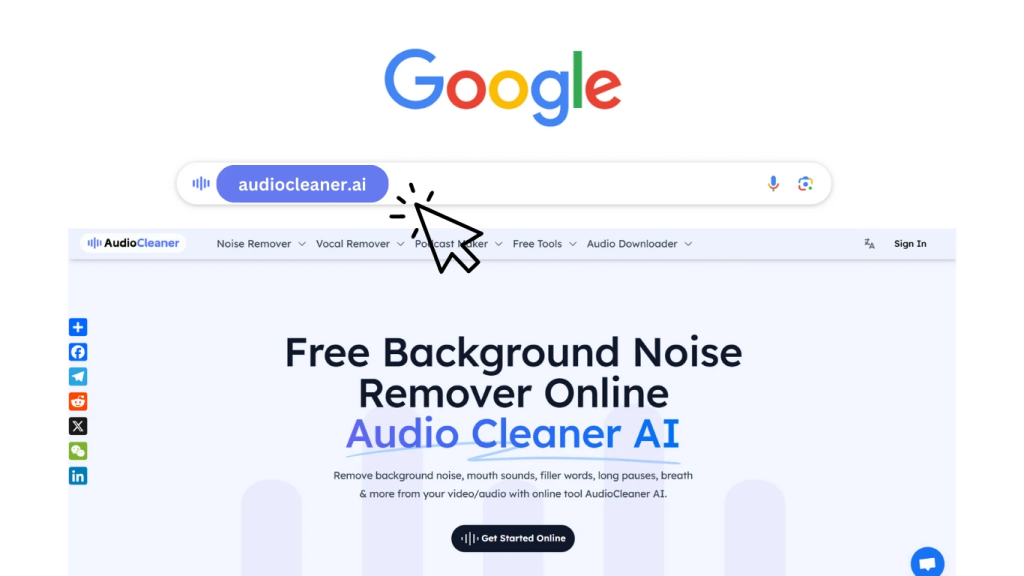
Step 1: Search and Open AudioCleaner.ai
Search for AudioCleaner.ai in your preferred search engine, like Google and then click the button ‘Get Started Online’.
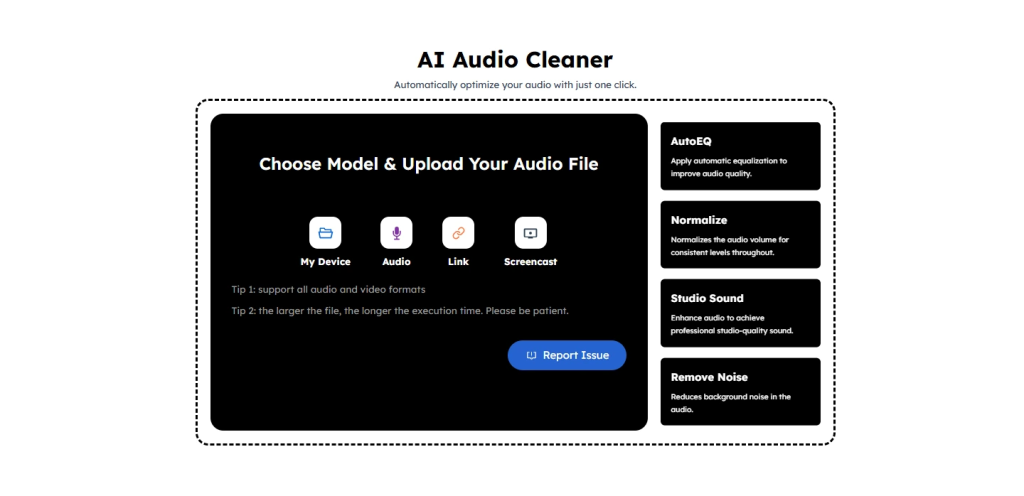
Step 2: Upload Your Audio File
Start by uploading your audio file from your PC. Our tool supports common formats such as MP3, WAV and video files. More than these, it can also upload Links and Screencast. Our tool as a browser-based platforms removes the need for installation, making it especially useful for quick edits or cross-device workflows.
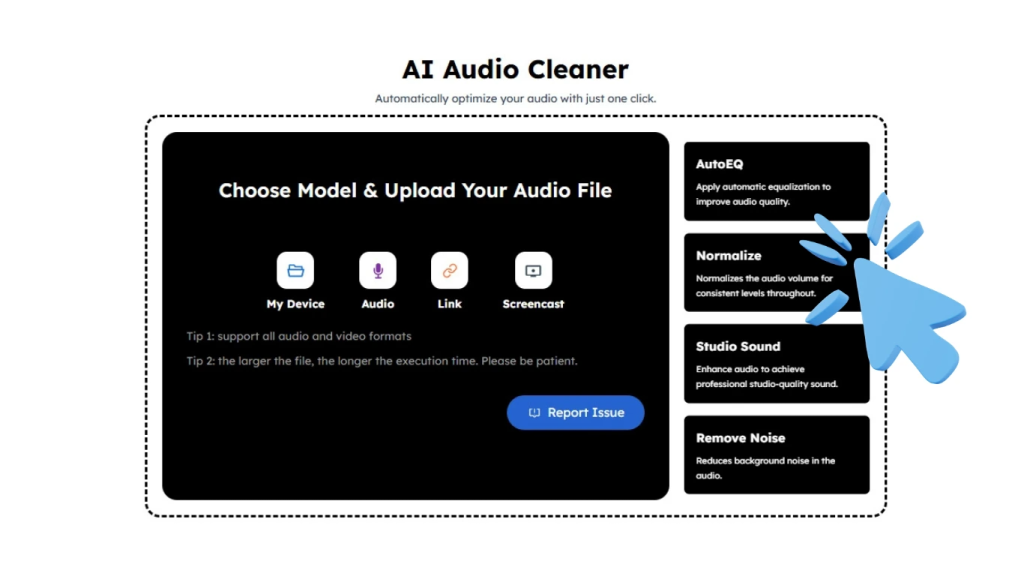
Step 3: Apply Audio Normalization
Once the file is uploaded, select the ‘normalize’ option. AudioCleaner will automatically analyze the entire track and adjust the overall loudness to a balanced target level so users can normalize audio fast.
Step 4: Preview and Download Your Audio File
Before downloading, preview the normalized audio to confirm clarity and balanced. Once satisfied, download the file instantly, ready for publishing on platforms like YouTube, podcast, online courses, or reviewing a remote meeting. With fast online processing, the entire workflow from upload to export can be completed in just a few seconds on PC.
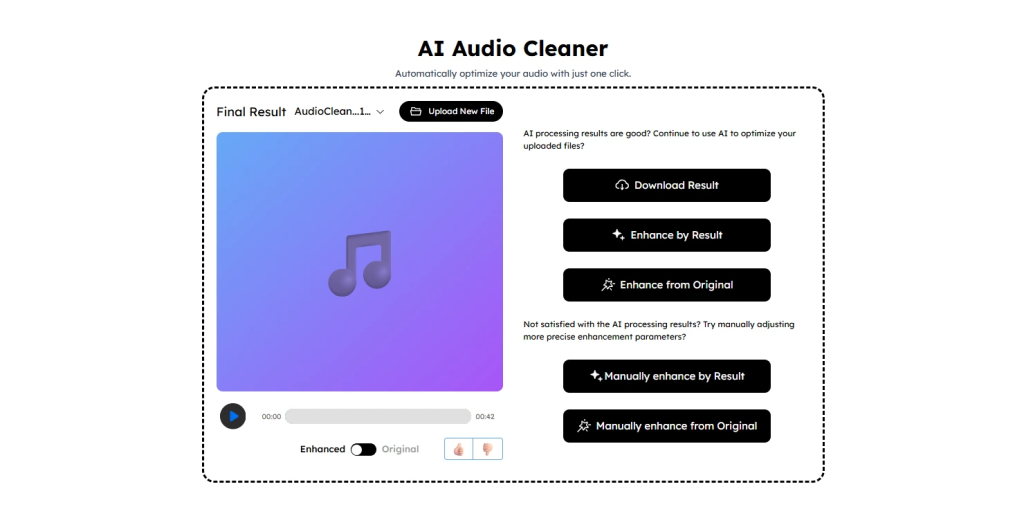
In fact, Our tool stands out as a browser-based audio file cleaner that requires no installation, supports diverse inputs including file uploads, links, and screencasts. More than this, it also offers flexible removal options such as guitar and breath noise, while also extending into features like Vocal Remover, Karaoke Maker, Voice Changer, Music Generator, Audio Enhancer and AI audio translation for broader creative workflows.
Conclusion
As more creators and professional publish audio content, audio normalization has become as important as clear sound in 2026. Audio normalization is the process of automatically adjusting an audio file’s volume to a consistent target level, AudioCleaner can normalize audio fast, automatically and freely.
FAQs
Does audio normalization reduce quality?
Of course not. When you normalize audio, AudioCleaner just adjust the volume of the track, it doesn’t change the EQ, the dynamics, or anything else about the audio, it’s just the volume on the quiet or loud parts which is changed.
What does normalize do in audio?
Our tool can normalize audio automatically. It analyzes the entire track, identifies the loudest point or average loudness, and raise or lowers the volume evenly across the whole file.
What is normalize audio?
Audio normalization is the process of measuring an aspect of an audio file and adjusting it so that it matches a predefined target. Our tool can normalize audio easily.
How to Use Audio Normalization?
AudioCleaner is definitely your best choice to normalize audio fast in 2026. Here is an easy guidline.
- Step 1: Open AudioCleaner.ai
- Step 2: Upload your audio files
- Step 3: Apply Audio Normalization
- Step 4: Preview and Download Your Audio File
Can I normalize audio online for free?
Yes. AudioCleaner is free to allow you to normalize audio online without installing software.