TL;DR
- A muffled voice sounds dull, unclear, and lacking clarity, often making recordings or videos hard to understand and feel unprofessional.
- Muffled voice is usually caused by poor microphone quality, background noise, wrong EQ settings, low bitrate, or recording too far from the microphone.
- The fastest and easiest way to clear a muffled voice is using an AI-powered tool like AudioCleaner, which automatically removes noise and enhances vocal clarity in seconds without requiring technical skills.
Clear audio is just as important as visuals when recording voice or video content, as a muffled voice can make even the best footage hard to understand. In this guide, we will explore the main causes of a muffled voice and practical methods to fix it, from simple recording adjustments to AI-powered audio enhancement. Understanding why your audio sounds muffled is the first step toward improving clarity and achieving clean, crisp sound.
What Is a Muffled Voice?
A muffled voice is audio that sounds unclear, dull, or lacking in high frequency, as if the sound is traveling through a soft barrier like a blanket or hand, making it hard to understand, which often result from issues with the microphone, recording environment, or audio settings.
For vloggers looking to improve vlog audio quality, podcasters, and content creators, a muffled voice can make even the most visually engaging videos feel unprofessional and frustrating to listen to. It often lacks clarity, brightness, and presence, which can distract viewers and reduce engagement. This issue can result from a variety of factors, including poor microphone quality, background noise, echo, incorrect recording settings, or the distance between the speaker and the microphone. Recognizing a muffled voice is the first step toward fixing it.
Why Does My Audio Sound Muffled?
So, after understanding what a muffled voice is, the next step is to figure out why your audio sounds muffled. Several factors can affect clarity, from recording equipment to environment and audio settings. Here are the most common causes of a muffled voice:
1、Poor microphone quality.
A low-quality microphone may fail to capture the full range of your voice, especially high frequencies, making the audio sound flat and dull. For example, recording a YouTube tutorial using a laptop’s built-in mic can result in muffled audio, where your voice lacks presence and clarity even if your video looks professional.
2、Background noise and echo.
Noises from surroundings, room echo, and reverberation can interfere with your voice, causing muffled voice. Imagine recording a podcast in a small, empty room with bare walls, the echo bounces off the surface, and your voice ends up sounding like it is coming from far away.

3、Low bitrate or compression.
Recording or exporting audio at a low bitrate can strip away details, especially high frequencies, resulting in a muffled voice. For instance, compressing a gaming commentary video to save file size may make the voice sound dull and tinny, losing the crispness that keeps viewers engaged.
4、Wrong EQ setting.
Incorrect equalization (EQ) can make your voice sound hollow or muffled. Cutting too much high-frequency content or boosting low frequencies excessively can reduce clarity. For example, boosting the bass too much on a singing tutorial can lead to muffled audio, while reducing treble too much makes the vocals sound flat and unclear. Proper EQ adjustments can bring out the natural brightness and presence of your voice.
5、Distance from the microphone.
Speaking too far from your microphone can reduce volume and high-frequency detail, making your voice sound muffled. For example, recording a live stream while sitting across the room from your mic may make your commentary faint and unclear, forcing viewers to strain to hear you.
After identifying the main reasons your audio sounds muffled, the next step is learning how to fix it.
How to Fix a Muffled Voice?
The following methods cover practical adjustments and easy tools you can use to enhance muffled voice recordings. Each step can significantly improve clarity, whether you are recording a podcast, video or audio.
Adjust microphone settings
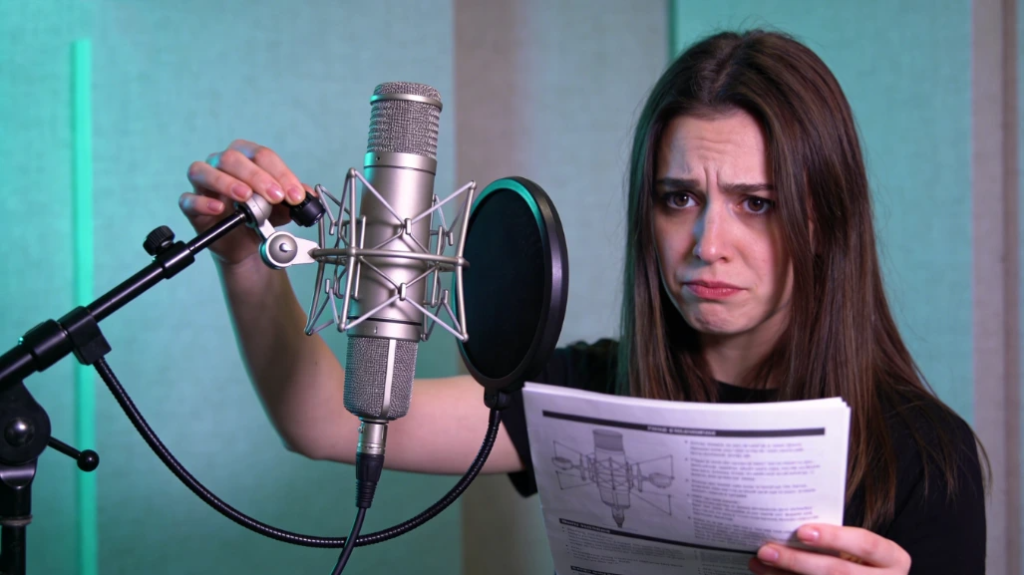
Your microphone is the first and most important factor in achieving clear audio. To achieve a clear muffled voice, ensure your microphone is of good quality, positioned 6-12 inches from your mouth, and set at the proper input level. Using a pop filter or windshield can further reduce muffled tones caused by breath or others, helping your voice come through crisp and natural.
Use proper recording environment
Recording in a quiet, furnished room with minimal echo and background noise can make a significant difference in cleaning muffled audio. Keeping a consistent distance from the microphone and avoiding noisy surroundings allows your voice to be captured clearly, preventing the dull, muffled effect.
Apply EQ and Clarity enhancement
Applying equalization (EQ) to boost high frequencies and reduce low-end muddiness can instantly make your voice clearer. Many audio editors have presets for vocal clarity, which help bring out the natural presence of your voice and remove the muffled voice without complex adjustments.
Clear muffled audio with AI
AI-powered tools can instantly transform muffled audio into clear, professional-sounding recordings. By automatically detecting and removing background noise, balancing volume, and enhancing vocal clarity, it eliminates the need for complex manual editing. Simply upload your audio or video file, apply the Audio Enhancer, and within seconds, your audio will sound crisp and natural, even if the original recording was muffled or noisy. This makes it ideal for vloggers, podcasters, and content creators who want clear muffled voice without technical troubles.
The Easiest Way to Make a Muffled Voice Clear
In fact, the easiest way to make a muffled voice clear is using AI-powered tools like AudioCleaner. This tool stands out as one of the best and easiest methods by simplifying the entire process. It removes unnecessary noises and clears muffled voice quickly. The following steps guideline will show you how to fix muffled voice in seconds.
Step-by-Step Guide:
- Search and open AudioCleaner. Search for it in your preferred search engine, like Google, and then click the button ‘Get Started Online’.
- Upload your audio/video file. This remover supports multiple formats like MP3, FLAC, WAV, etc. You can even upload a link, and this tool will still identify the video or audio information from the link and clear the muffled voice. There is a tip that you can choose the highest quality original recording for best results.
- Apply the Audio Enhancer. Audio Enhancer add an extra layer of polish before your audio or video content goes live, clearing and balancing muffled voice in seconds without requiring advanced technical skills or complex editing workflows.
- Preview and download. If you are satisfied with the AI processing results, download it or continue to use AI to make minor if needed.
Conclusion
A muffled voice does not have to ruin your recordings. By understanding the causes like poor microphone, wrong EQ settings, background noise or distance, you can apply practical fixes. Combining simple recording adjustment with AI tools like AudioCleaner ensures your audio is always crisp, clear, and professional.
FAQs
Can AI fix a muffled voice?
Of course! Our tool can automatically fix your muffled voice in seconds without professional skills or workflows. You just need to upload your file and apply the Audio Enhancer!
Why does my voice sound so muffled on recordings?
The possible reasons are poor microphone, wrong EQ settings, background noise or distance. But there is no need to worry about it with AI-powered tool—AudioCleaner.
How do I fix a muffled voice online for free?
You can definitely use our tool! Fixing a muffled voice online with it is the best and free methods you can verify it.
Can I fix muffled audio recorded on my phone?
Yes. Phone recordings often sound muffled due to limited microphones and background noise. With our tool, you can upload your phone audio or video and let AI automatically enhance vocal clarity, remove noise, and restore natural high frequencies—no re-recording needed.
Will clearing muffled voice affect voice quality?
No. Instead of simply cutting noise, the AI analyzes vocal frequencies and enhances speech clarity, ensuring your voice remains natural while removing the muffled and noisy parts.
What is the fastest way to clear muffled audio?
The fastest way to clear muffled audio is using an AI audio enhancer. Tools like AudioCleaner can fix muffled voice recordings in seconds by automatically removing noise and enhancing vocal clarity. It is much faster than manual EQ editing.